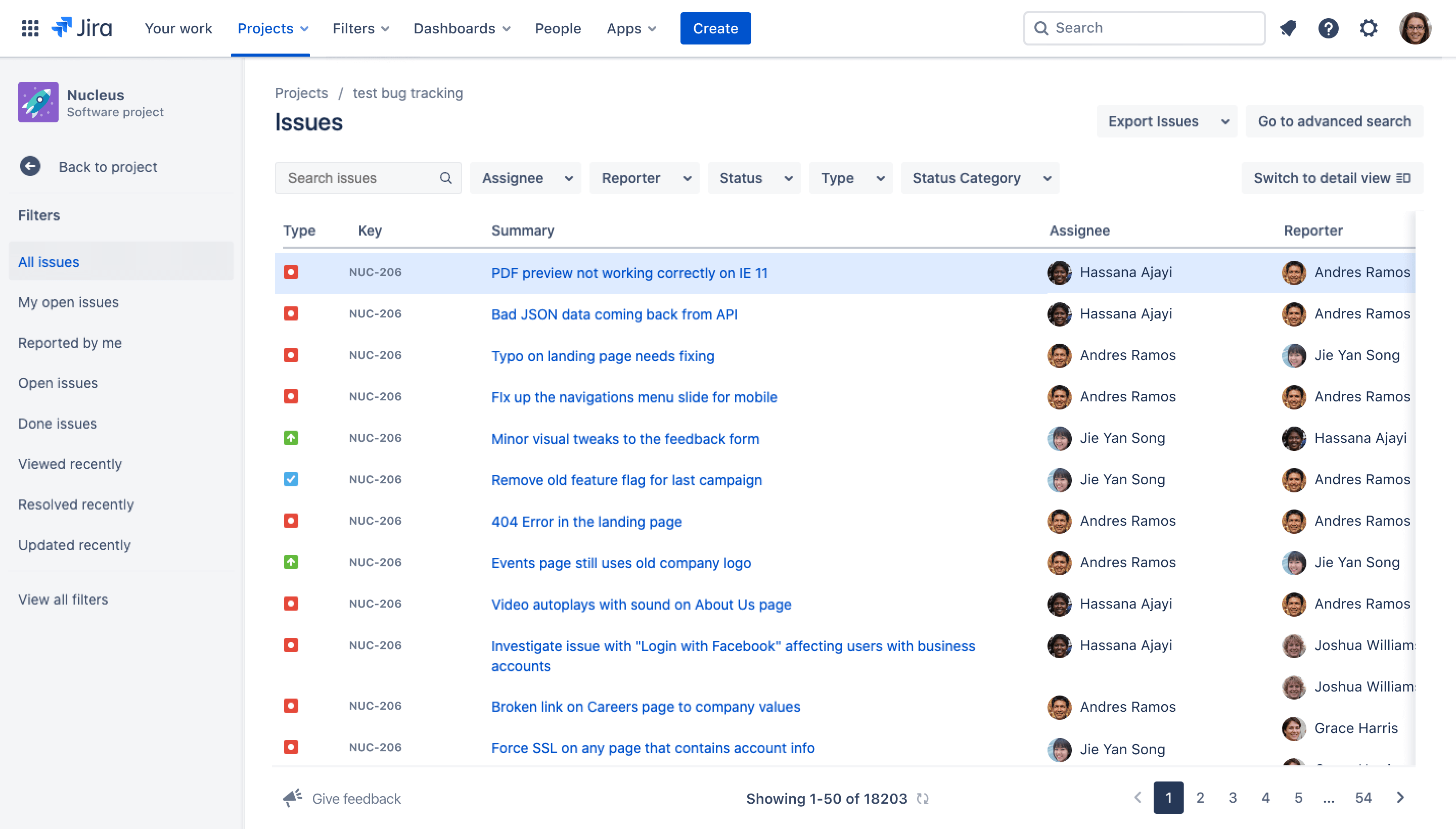
Bug report template
Generate clear, actionable bug reports in Jira to help teams resolve issues faster and keep stakeholders aligned.
BEST FOR
Project management
Software development
KEY FEATURES
Task planning
Prioritization
Pipeline management
What is a bug report template?
Pre-built framework
A software bug report template starts with an existing framework that you can customize to your needs. Teams should use Jira’s bug reporting template to document software issues found by QA testers, developers, or end users.
The template is critical for documenting these issues quickly. Having a framework available lets teams tackle problems efficiently without creating reports from scratch.
Standardized document
The bug report template is a standardized document for recording how your team handles bugs. It’s perfect to use as a default process for tracking bugs and reporting events to stakeholders in a consistent and actionable way.
It also connects bug reports to workflows, assignments, timelines, and reporting. Easily customize workflows and generate a standardized report based on team member performance or issue resolution efficiency.
What does a bug report template include?
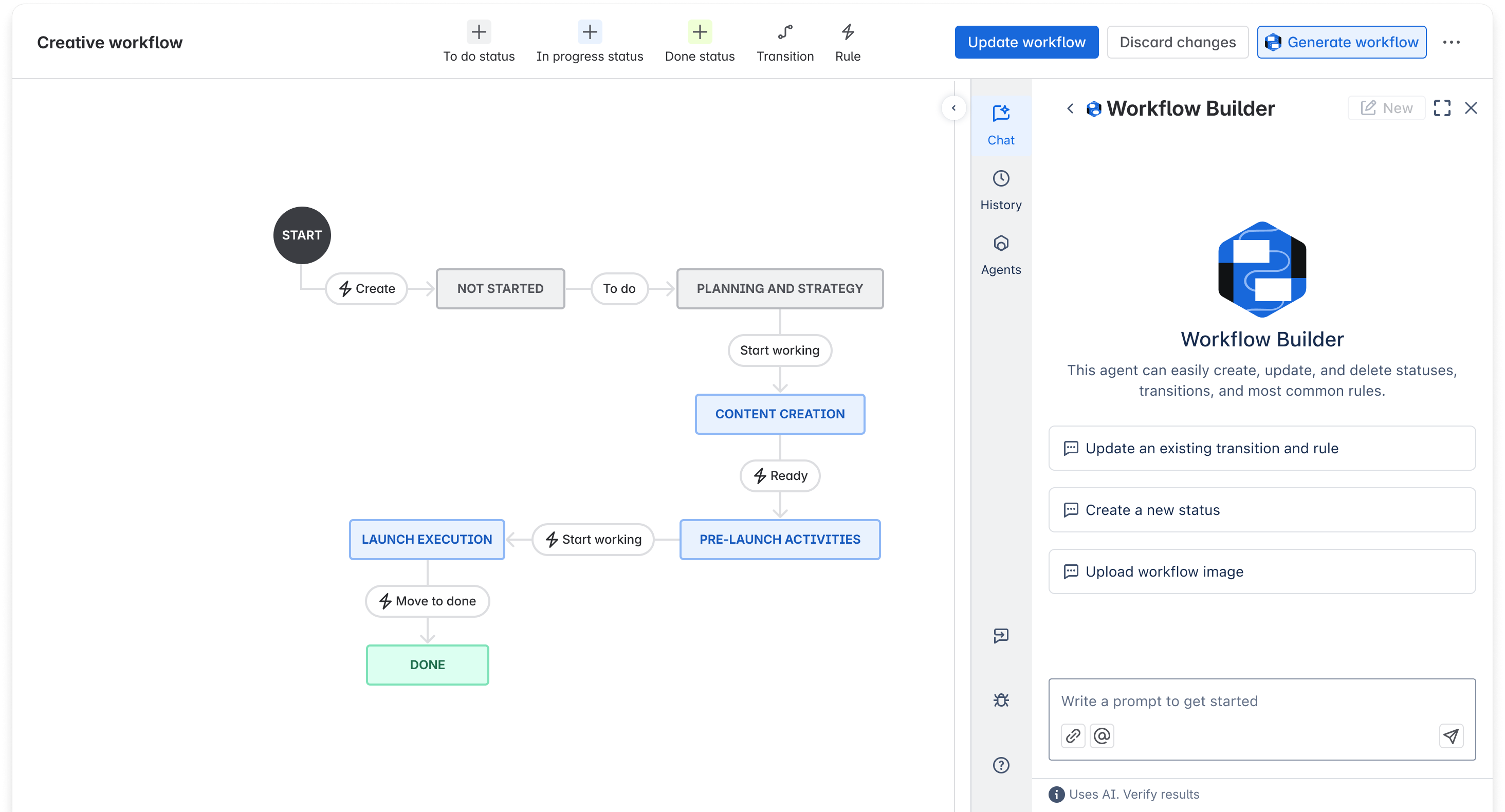
Workflows
Writing a bug report is only one step of the process; the issue also needs to be tracked, assigned, and resolved. Customizable workflows allow teams to define how bugs move from discovery to resolution, which results in consistent tracking and greater accountability.
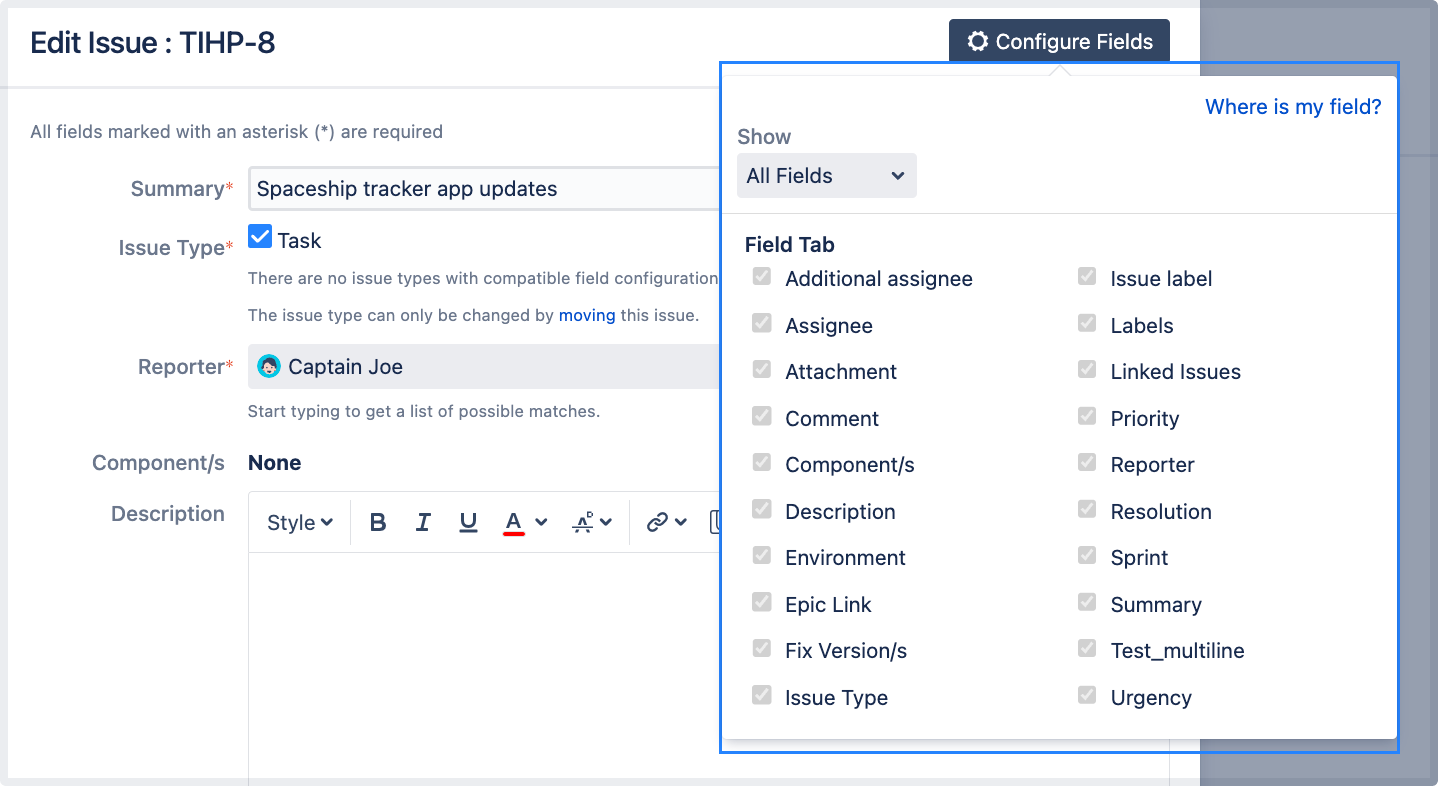
Fields
The bug report template features standardized issue fields, so it’s easy to use a consistent format for all your different reports. These fields ensure every bug report contains key data such as severity, environment, steps to reproduce, and expected versus actual results.
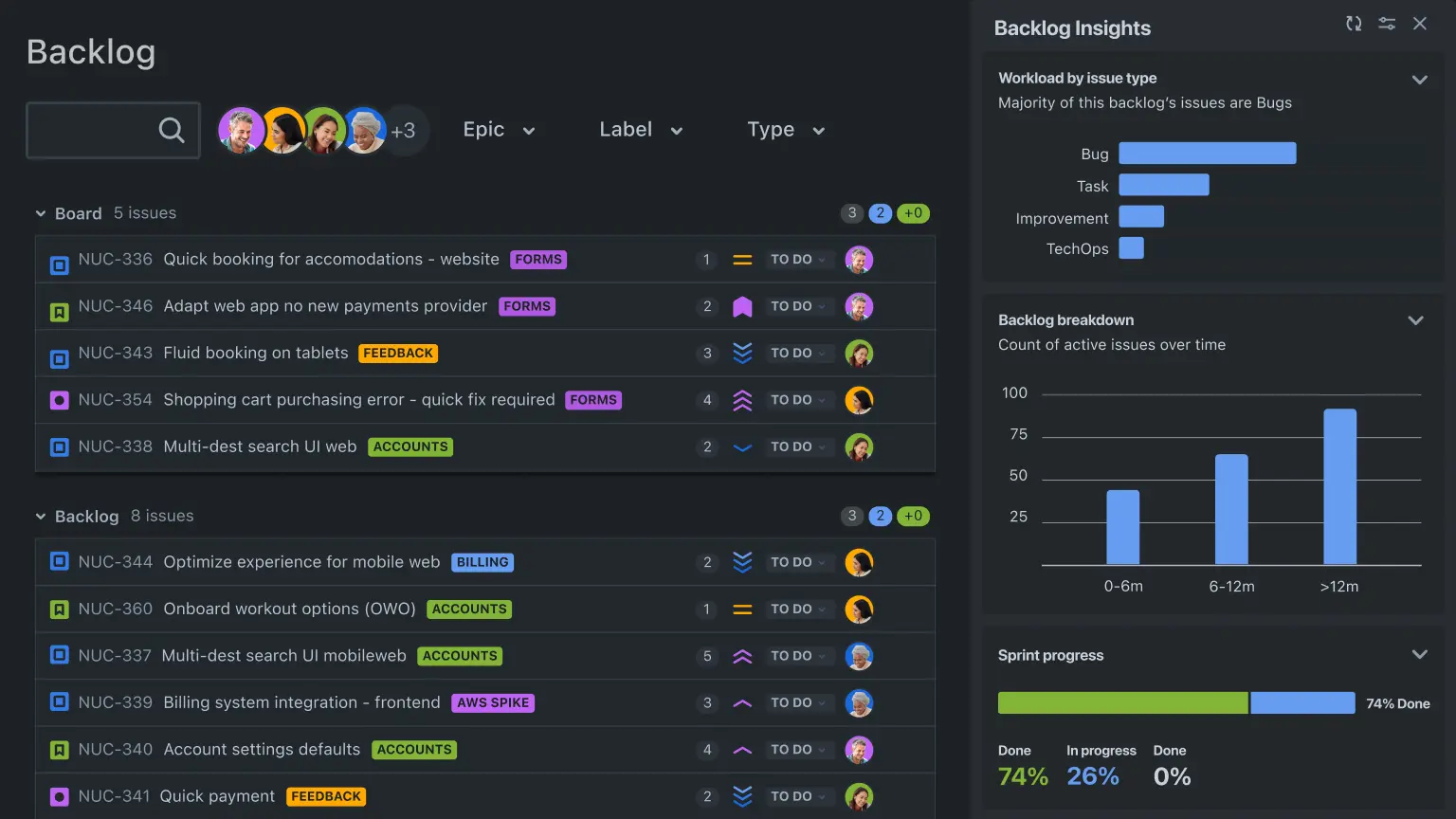
Backlogs
When teams submit many bug reports, it can be difficult to decide which bugs to address first without leaving crucial ones unresolved on the back burner. A bug report template allows teams to rank and organize issues in the backlog.
This lets your team address critical bugs first while keeping lower-priority issues visible. Kanban boards are also helpful for visualizing and organizing issues.
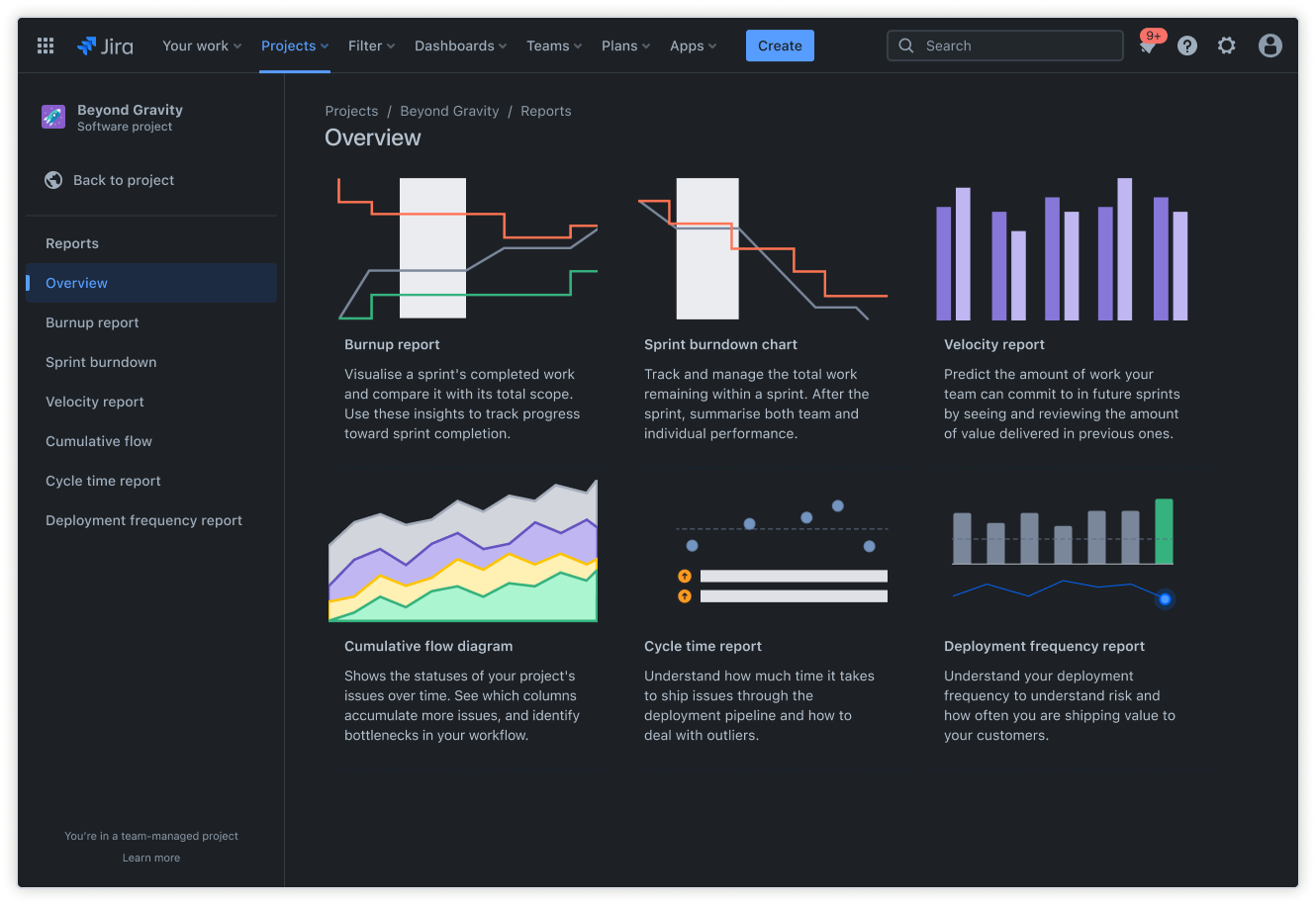
Dashboards
Built-in dashboards simplify monitoring bug trends, resolution times, and overall software quality in real time. Dashboards provide a clear picture of the status of your software and current bug reports in one centralized location.
They also encourage consistent bug reporting by making progress, ownership, and outcomes easier to see.
How to create a bug report template in Jira
- 1
Gather information
Gather all necessary information about the bug—but only what can help solve the problem. The amount of information will depend on how your team deals with bugs.
This is where a customized bug-reporting template is crucial. It should be flexible enough to allow your team to handle software issues efficiently.
- 2
Write the summary and description
Craft a concise and descriptive title for the bug. This allows team members to immediately understand the work necessary to resolve it. Add a summary that outlines the bug’s key issues.
Click the blue “Create” button at the top of the screen to create a new bug report. Select the project and issue type, then write a short summary of the bug in the “Summary” field.
The summary can be as short as a few words as long as it makes it easy for team members to identify the bug. Many companies format their titles with the core feature issue in brackets at the start of the title, such as “[Onboarding] Push notification resent to the onboarded user.”
In the “Description” field, you can include a more detailed description of the bug. You can also include any other helpful details about the bug here.
- 3
List the steps to reproduce the bug
Using the “Description” field, create a numbered list of steps to reproduce the bug. Outlining the sequence of actions that led to the bug helps the team understand how to resolve it.
Use clear language to describe each step in order to make it easy to reproduce.
- 4
Specify expected and actual results
Throughout the bug reproduction process, use comments to note the expected results versus the actual results in detail. If the issue occurs again, you can use this information as a reference to speed up the bug resolution process.
- 5
Include environment information
Scroll to the bottom of the pop-up window that appears when you click the “Create” button. In the “Environment” section, include details about the environment where the bug first appeared.
Try to be as detailed as possible about the environment, including the operating system and device used, app or software version, browser version (if applicable), relevant account, connection type (wired vs. wireless), frequency, and whether the bug is reproducible.
Documenting the environment is crucial because some bugs may only be reproducible in specific environments. When reproducing a bug, you can create the same environment to help isolate the source of the bug.
- 6
Revise and review
After completing the bug report template, review each section to make sure it describes the issue clearly and accurately. This gives the team a comprehensive picture of the problems that users face, and past bug reports serve as vital references for future bugs.

Centralize bug reports
Track all your bugs in one place. Add context to each task with labels, custom fields, attachments, and more.

Prioritize work
Squash bugs before they cause trouble by prioritizing and assigning tasks by urgency.

Optimized for debugging
Use a workflow created specifically for bug resolution — not feature development — to keep teams focused.
Related templates
Marketing
Jira project management template
Manage activities for completing a business project.
Project report template
Use this free project report template to simplify collaboration and keep stakeholders aligned.